
JOJO STAND
CARD MAKER.
Turn your own drawing into a Stand stat card. Add a name, ability and weakness, set all six grades from E to A, then export a high-resolution PNG.
One-time payment for one project. The editor opens from your paid order. Manual edits and re-exports do not use credits. No subscription.
JPG, PNG or WebP, up to 10 MB.
Power, Speed, Range, Durability, Precision and Potential.
Portrait card, social square and landscape poster.
YOUR NAME.
YOUR SIX STATS.
Make this sample your own. Change the text, move the six grades and choose a card edition. Watch the card update as you edit.
INTERACTIVE SAMPLE · NO ACCOUNT NEEDED
This sample uses fixed artwork. Changes stay on this page and are not saved. Your own uploads, generation, saving and PNG exports are available in paid packs.
See what each creative pack includes ↗The same card layout used in the studio. Editions change the presentation; they do not redraw the artwork.
HOW TO MAKE A JOJO STAND CARD.
Already have the art?
- Open the editor from your paid Card Studio order.
- In Artwork, choose Upload Stand artwork. An optional character portrait can appear alongside it.
- In The story, edit the Stand name, user, ability and weakness. You can write these yourself.
- In Parameters, move the six sliders to your chosen E–A grades.
- Choose an Edition and export format, check the preview, then select Export PNG.
Need the artwork too?
The $4.99 Complete Pack adds 4 image credits and includes 10 concept credits for one project. Create and review a concept, then request a scene with the character and Stand together.
Choose a classic duo or a desert rider with a horse. Each new image request or variation uses one image credit. Card Studio includes 3 concept credits but no image-generation credits.
Follow a complete worked example ↗SIX GRADES YOU CAN ACTUALLY CHANGE.
The card editor uses E, D, C, B and A. You control each grade; they are creative choices for your original character, not an official assessment.
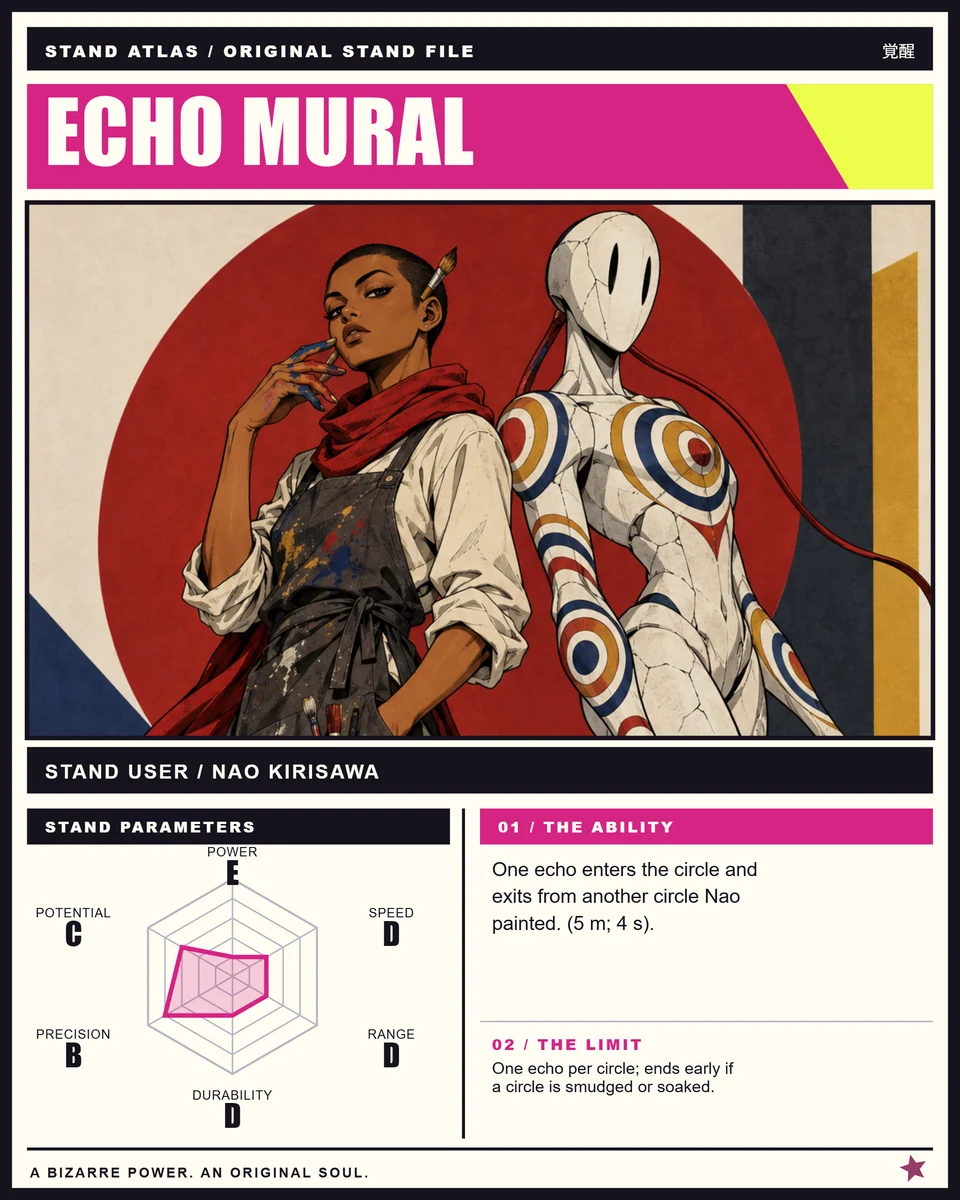
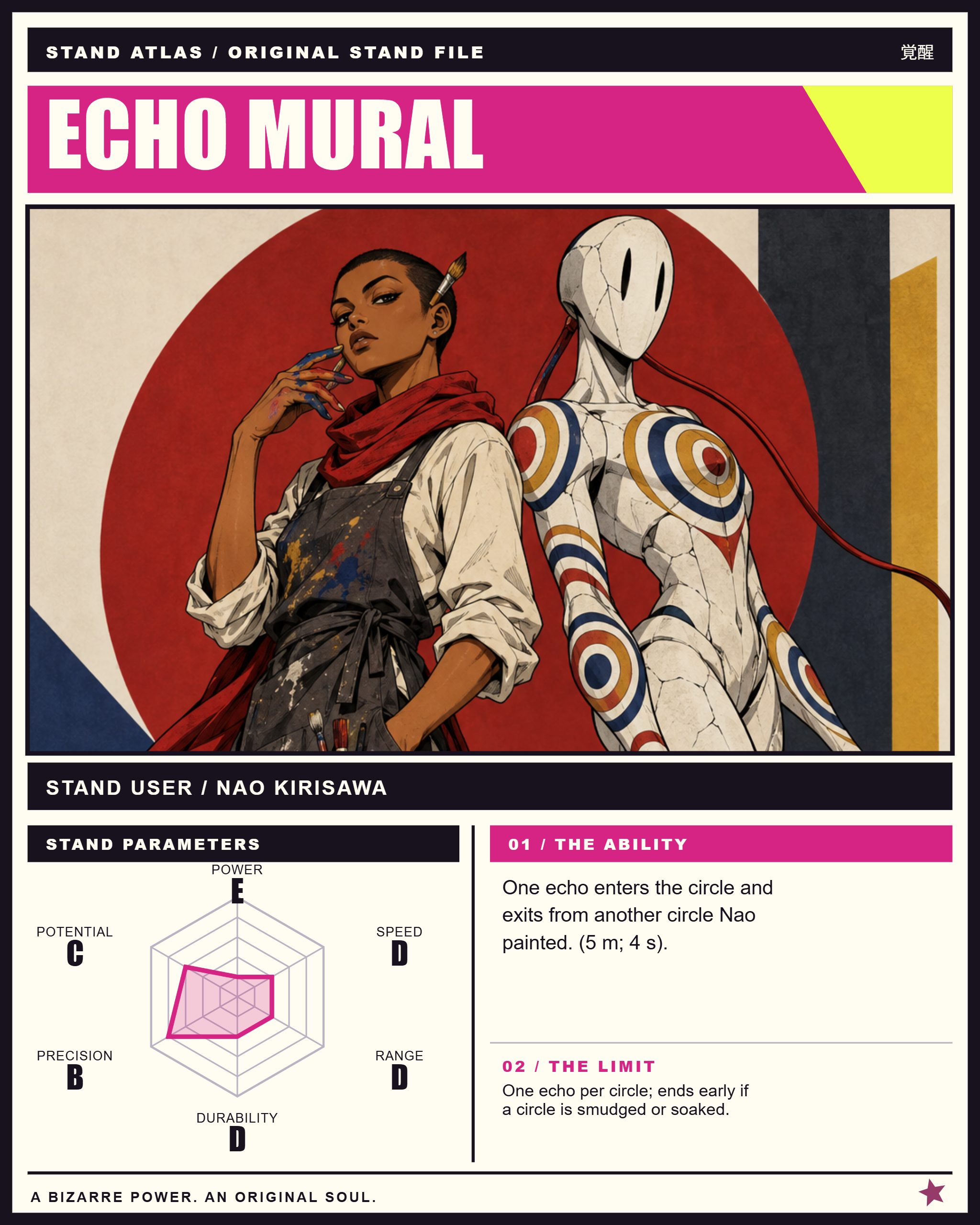
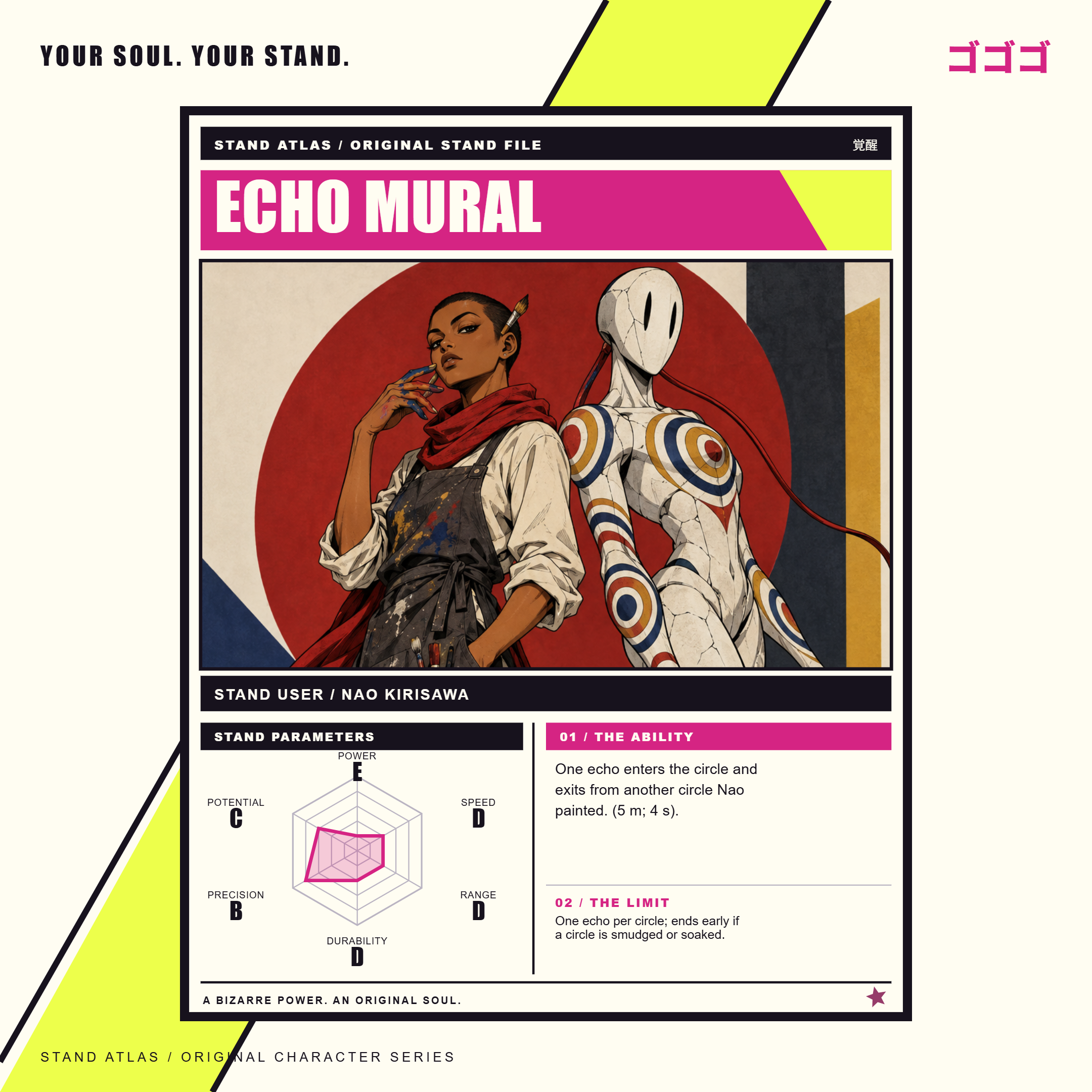
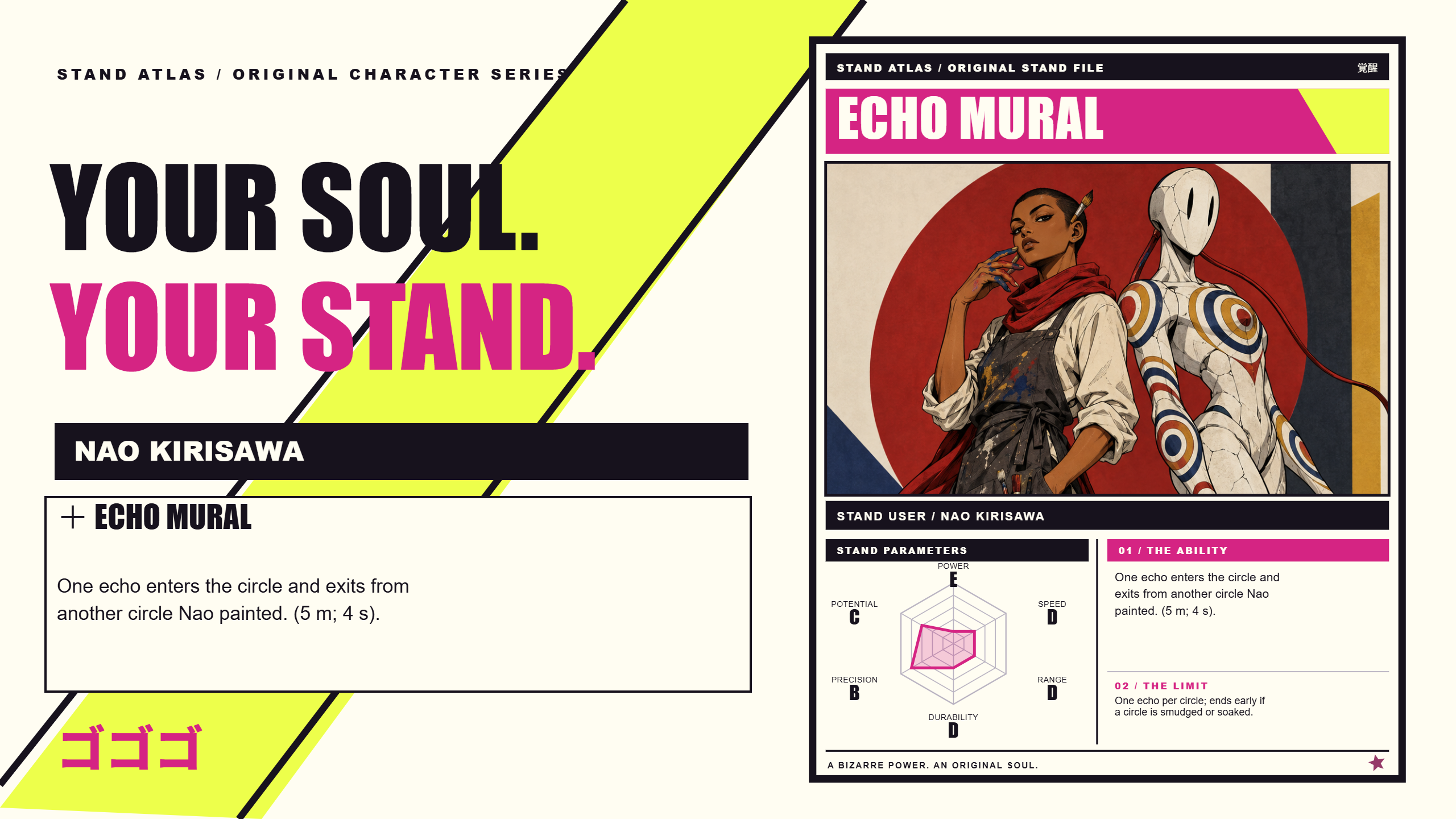
These are Echo Mural’s actual exported grades. Its precision is B while its power is E: the ability redirects one nearby echo through painted circles, and a smudged or soaked circle ends the effect. The chart supports that specific rule.
You can also edit the name and user (26 characters each), ability (180 characters) and weakness (120 characters). Check the final preview: long text may be shortened to fit the card.
ONE REAL PROJECT. THREE PNG EXPORTS.
All three files below came from the same Echo Mural project in the editor. The previews are compressed for this page; the downloads are the original exported PNGs.
BEFORE YOU MAKE YOUR CARD.
Is the Stand card maker free?
The interactive sample and original example PNG downloads are free to try. Uploading your own art, saving a project and exporting your own card require a paid pack. Card Studio is $0.99 for one project, paid once, with no monthly subscription.
Do I have to generate an image?
No. Upload artwork you own or have permission to use, or make a text-and-stat card. Manual edits and PNG exports do not consume generation credits.
Can I put the user and Stand in the same image?
Yes. Upload a scene containing both, or use Complete to generate a classic duo. The optional portrait upload adds a separate portrait to the layout; it does not redraw or merge two images into a new scene.
What changes when I select a card edition?
Anime Color, After Midnight and Manga Ink change the card presentation. Manga Ink displays the artwork in grayscale. Switching the edition does not regenerate the artwork or change the original uploaded file.
Can I save and come back later?
Save to order stores your project and uploaded images with the order. Save project downloads a JSON backup, and Restore project loads it again. A PNG is the finished image, not an editable project backup.
GIVE YOUR ORIGINAL CHARACTER A CARD.
Have the artwork ready? Start with Card Studio. For the full idea-to-art workflow, compare the Complete Pack.